

Yes, you probably hear that it’s important to choose one North Star Metric when growing a startup. You also remember that revenue from the specific channel is the only important metric for defining the channel's success.
However, reality is much more complicated. AI chats became one of multiple steps in a long user journey, alongside Google, YouTube, Reddit, and so on.
A big change is that AI chats work like trusted influencers for many people, and this one thing motivates brands to work hard on being visible and recommended there.
5 methods to track brand performance in AI search
1. GA4 report by traffic and conversions from AI chats
This is the most accurate data we can get because you can see conversions and revenue in one simple table. You can get this data for free in the GA4 native interface, but it’s much better to use Data Studio to visualize this data.
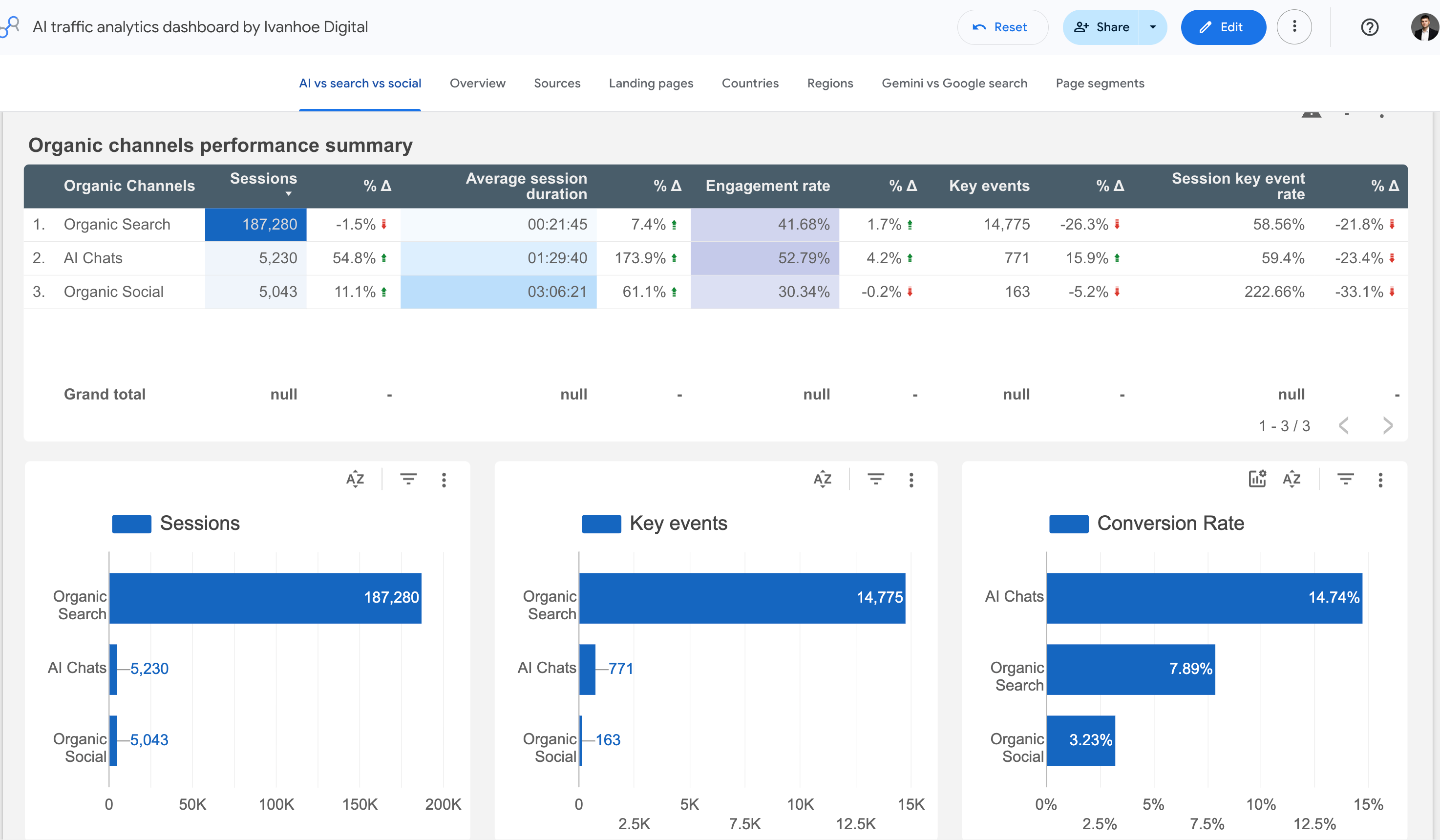
However, this method has its own limitations:
1/ Your AI traffic may change just because of an AI model update, not because of the things you’ve done to improve visibility.
For example, 3 weeks ago, I detected a huge increase of traffic from ChatGPT on 3 B2B SaaS websites. Researching the reasons, I found that on May 5, OpenAI released a new ChatGPT 5.5 model, where brand mentions also had links to home pages.
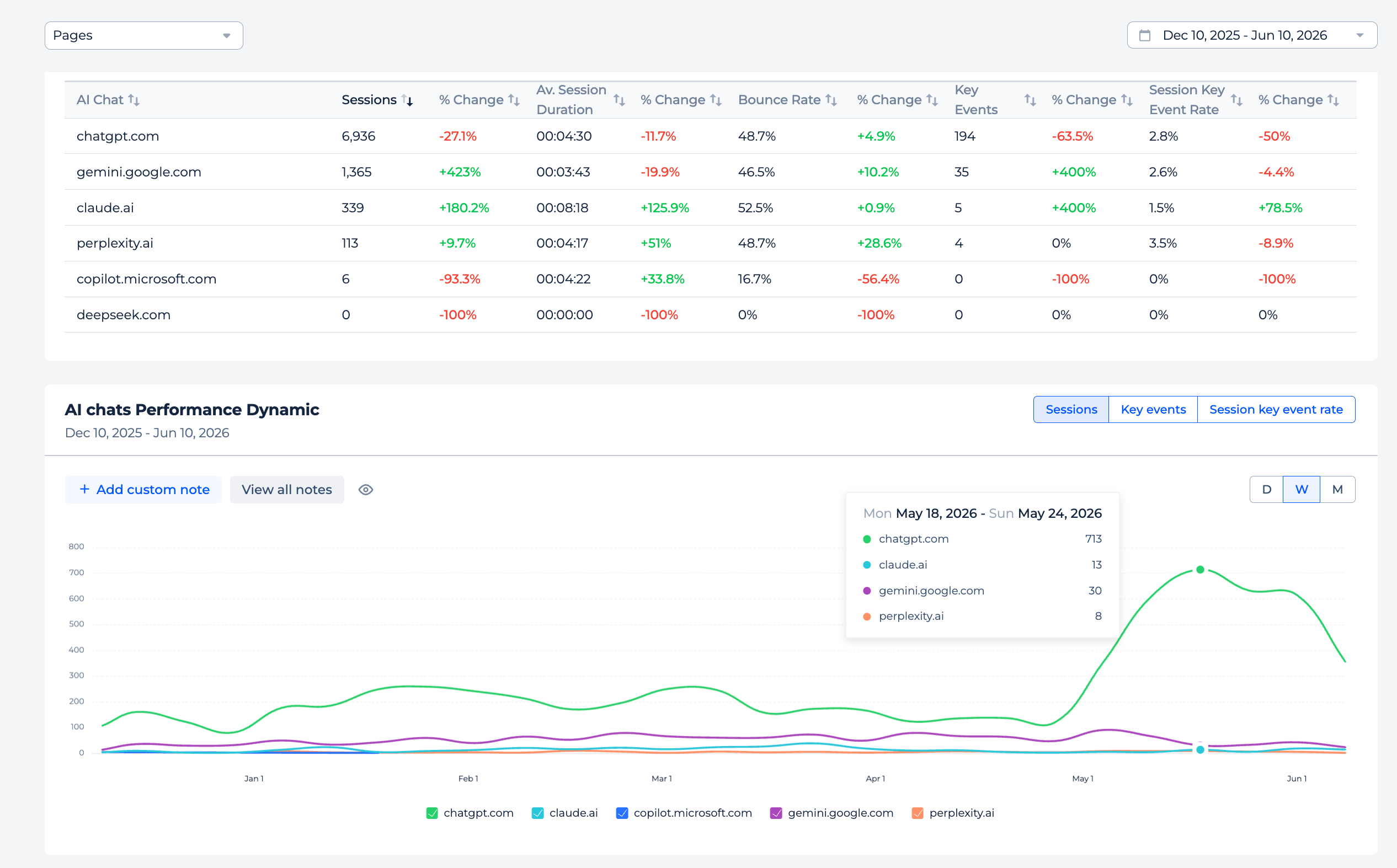
You always have to keep in mind this reason as a possibility and share context about such changes with your stakeholders.
2/ Many sessions in AI chats end with looking for a brand on Google
So the person gets a list of recommended brands or one brand and than go to the Google to find the website. It may happen for 3 reasons:
AI chats didn’t add a link to the home page
The user wants to see what the SERP looks like by brand and check reviews
It’s just a user’s habit
In any of these cases, we won’t see the impact of AI chats on conversions in GA4.
2. GSC report by brand keywords performance
This report can partially help with overcoming a limitation I mentioned above.
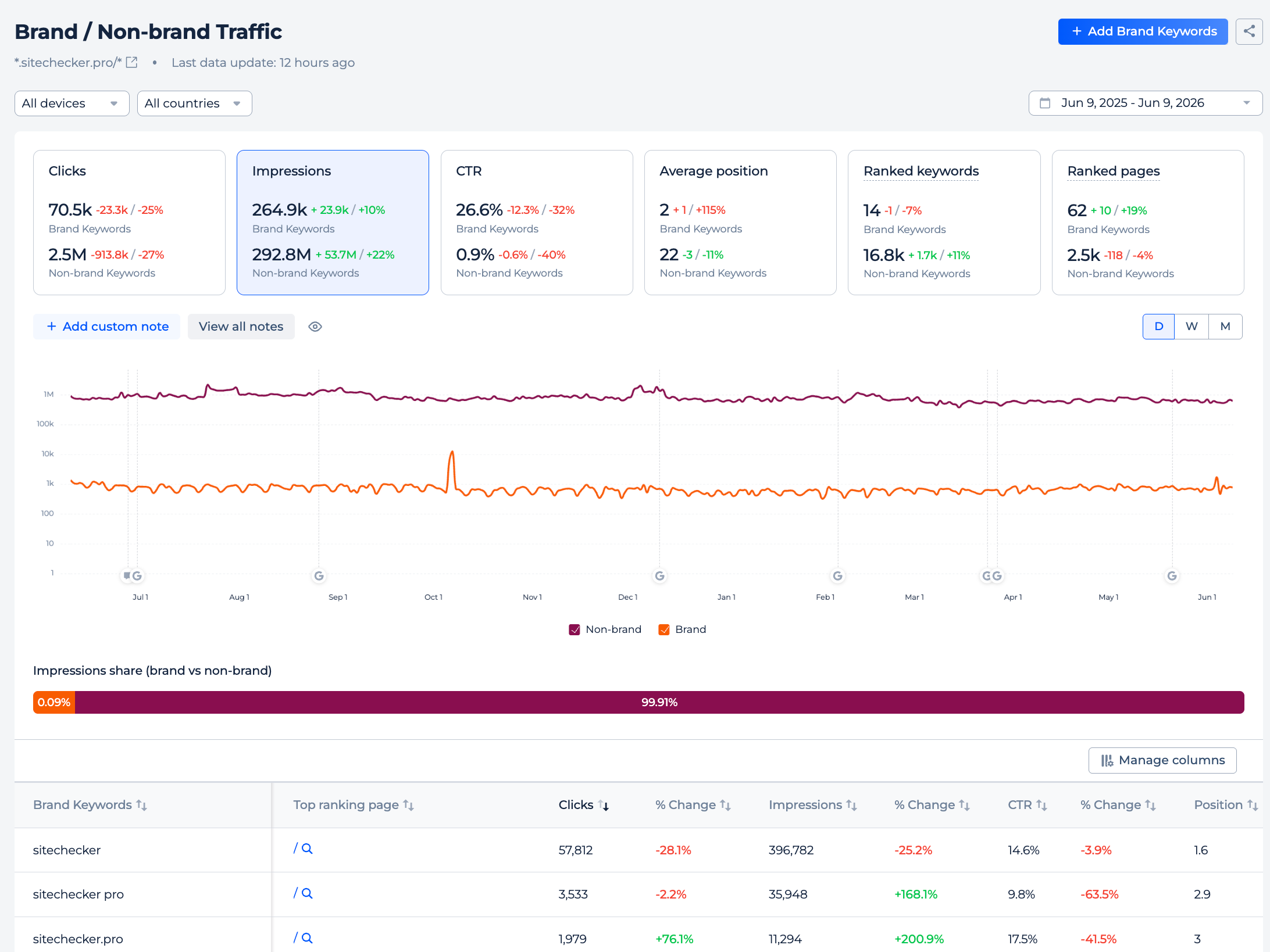
However, it also has its own pitfalls:
1/ Brand searches can grow for many reasons
Influencers, offline ads, paid campaigns, recommendations that became viral, and so on. Brands rarely work only on AI search visibility and ignore other channels. Moreover, those who work on demand generation have better visibility in AI chats.
In this case, it’s difficult to understand the root of the increase in brand searches.
2/ For large brands, a 0.5–1% lift in branded queries is nearly invisible in GSC
Even if that’s thousands of additional searches. So, this method is valuable primarily for startups with small budgets that don’t spend on paid ads and business who don’t have many brand searches yet.
3. Brand visibility based on prompt tracking
There are dozens of new tools on the market that want to ride the wave of growing demand. It’s like keyword rank tracking 10-15 years ago.
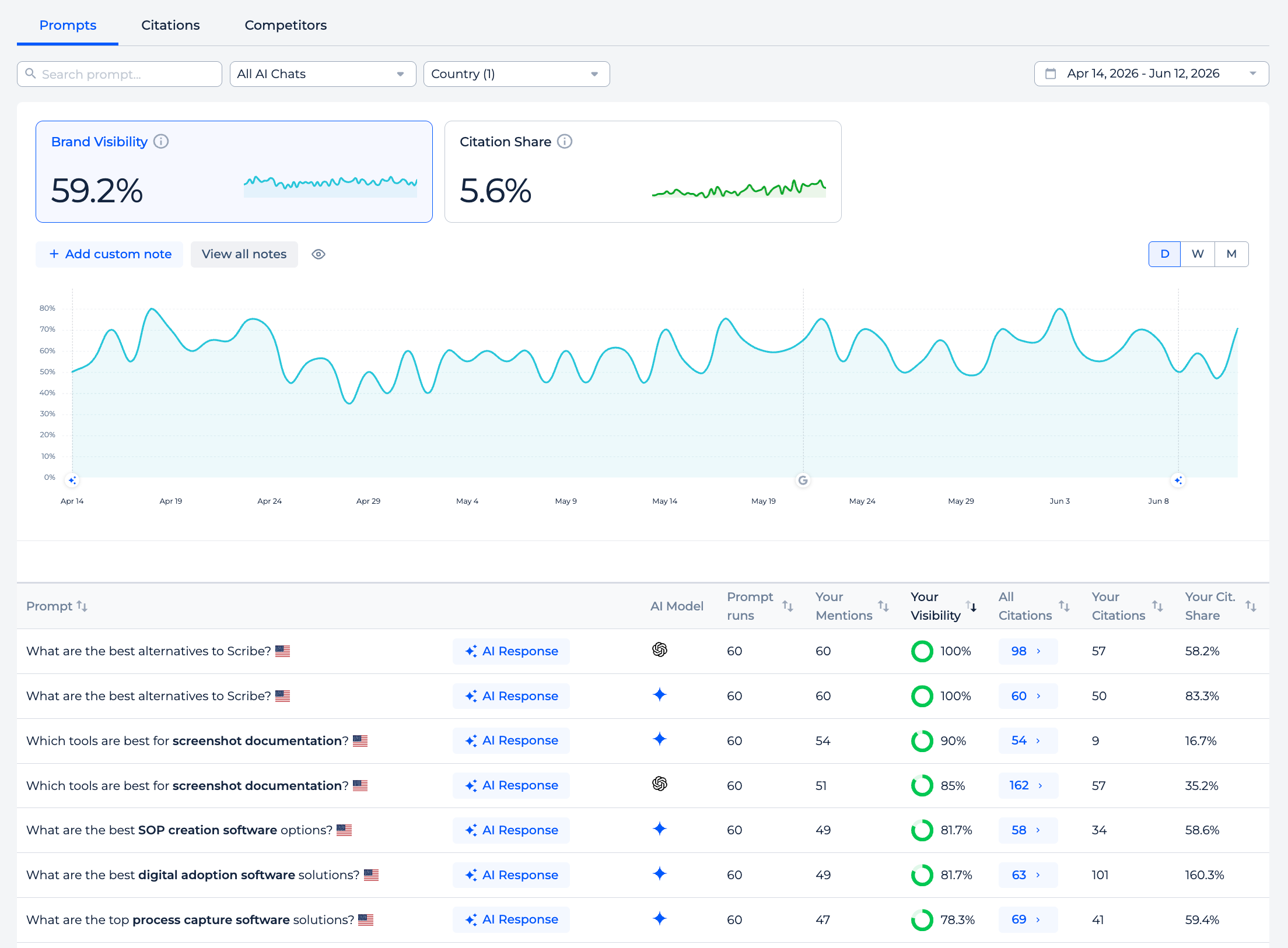
This method is valuable because:
It fills the gaps we have with AI traffic in GA4.
This is the only way to understand which websites impacted the AI answers and build a strategy to improve brand visibility.
This is the only way to measure what exactly is said about your brand.
Being mentioned among 10 brands by important prompts is only the first step, but the end, your customer will choose only one tool. You aim to be recommended as the only or one of 2 tools for a use case you target.
There is a lot of hate that prompts tracking to be inaccurate because AI chats give different results every time. I don’t agree with this hate, and I see value in it.
But you have to keep in mind that results in AI search visibility tracking tools may be different, not just because AI chats are unpredictable, but also because AI chats give different answers based on user status.
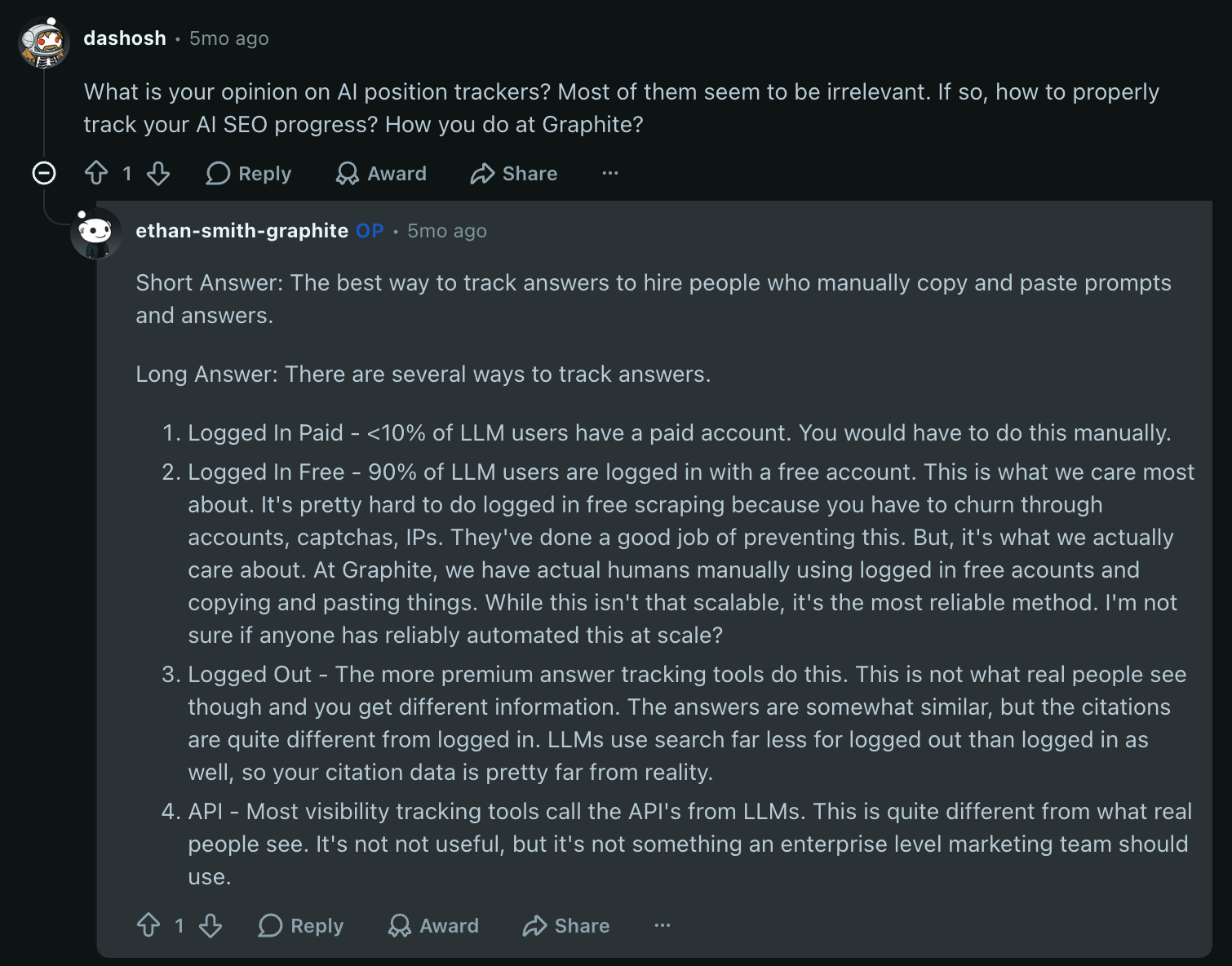
That’s why you have to read with attention how the specific AI tracking tool works and avoid tools that use only the API of AI chats.
Also, an important thing to remember with prompt tracking is that brand recommendations are much more important than your own website citations.
4. Log file analysis of AI bots’ activity
It's valuable for queries that trigger web searches in AI chats. For many low-volume, high-intent queries, you may have content on your website that will be crawled by AI bots, not just for citations, but for your brand mention.
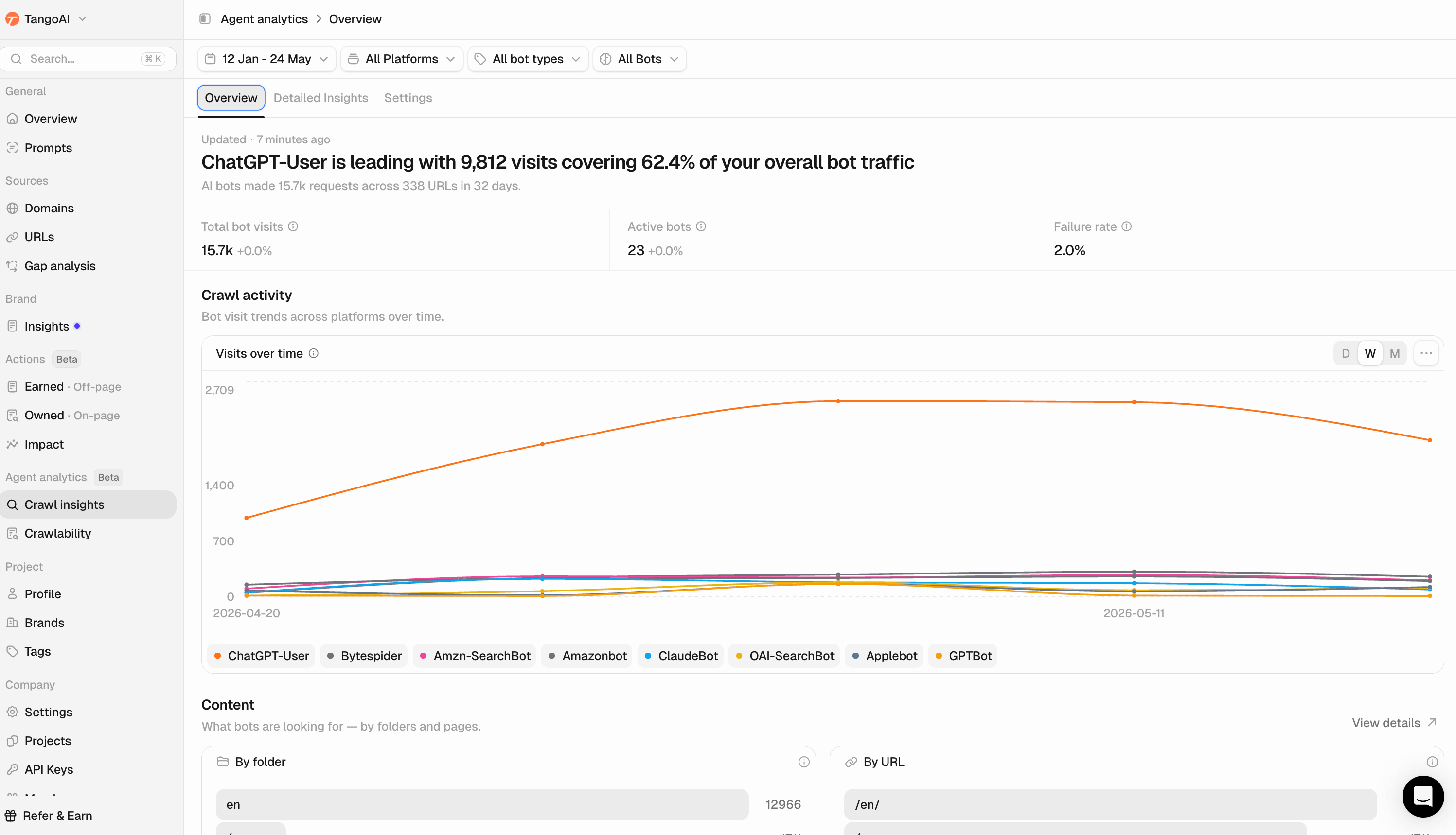
You can find even more insights if you dive deeper and will ask the right questions:
How fast are my new pages requested by AI bots?
How do content changes impact the scanning of my content?
Which content type or page segment was requested the most?
Which non-existent URLs did AI bots request?
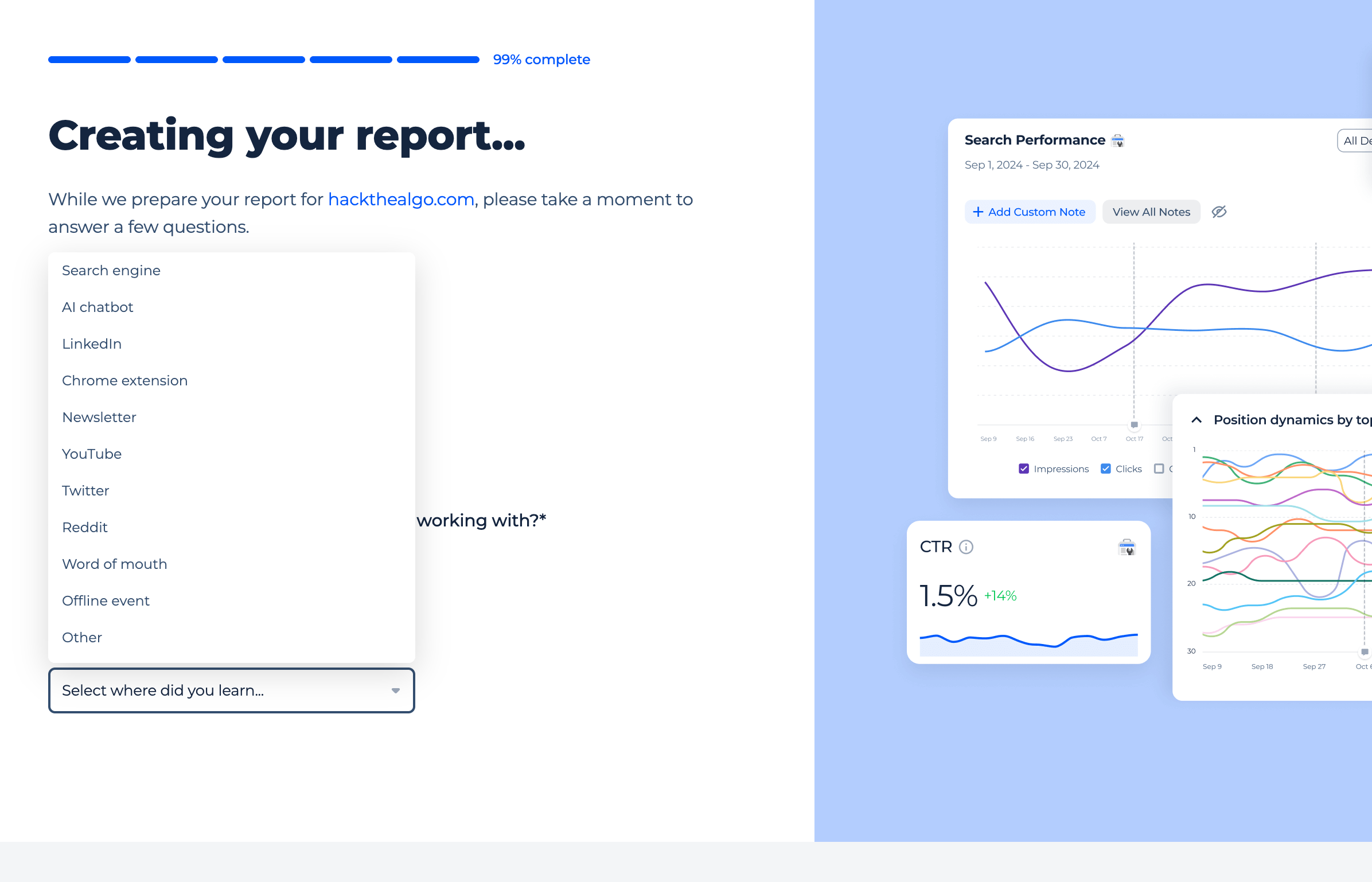
5. User polls on sign-up / demo page
You just ask people in which channel they first found your brand.
The cons:
It definitely adds friction.
People can lie or just forget the first source.
If you have Google Search and AI chats as two different channels to choose from, it’s hard for a person to understand what to choose if they found you in Google AI Overview or Google AI Mode.
However, for B2B, where a buying cycle can span months across 6+ touchpoints, self-reported attribution is one of the most reliable methods you have.
The biggest limits here → you only see sessions that converted into leads.
Everyone who found you through AI and left without filling out the form is invisible. That's why polls can't stand alone, and you need other methods too.
Did I miss something among the methods?
Also read: