

For a long time, I thought that marketers want to merge GSC and GA4 data in one report, only for one goal → see conversion and revenue data by landing pages and their organic search performance in one table.
It helps quickly identify the most valuable pages and explain to customers (if you are a consultant or agency owner) why overall organic traffic growth is a bad SEO KPI, and why you chose to work on specific landing pages and topics.
But after many experiments and talks with SEO consultants, I found that there are more use cases. This is a list of insights I use in my work, but I’ll be happy to read if you have any additional use cases or questions for me, whether the specific chart or report is possible to build at all.
1/ Prioritise landing pages and keywords based on conversion data
Four years ago, I built a unique Looker template to merge GSC & GA4 data. It became a hit and one of my most popular templates ever.
The idea is that GSC metrics aren’t enough to understand which page should be prioritised for content refresh, design imrpovement or link building.
Connecting conversion data from GA4, you can calculate how many additional conversions you could get if the page ranks in the top 1 for all keywords it already ranks for, and the conversion rate will be the same as in a previous period.
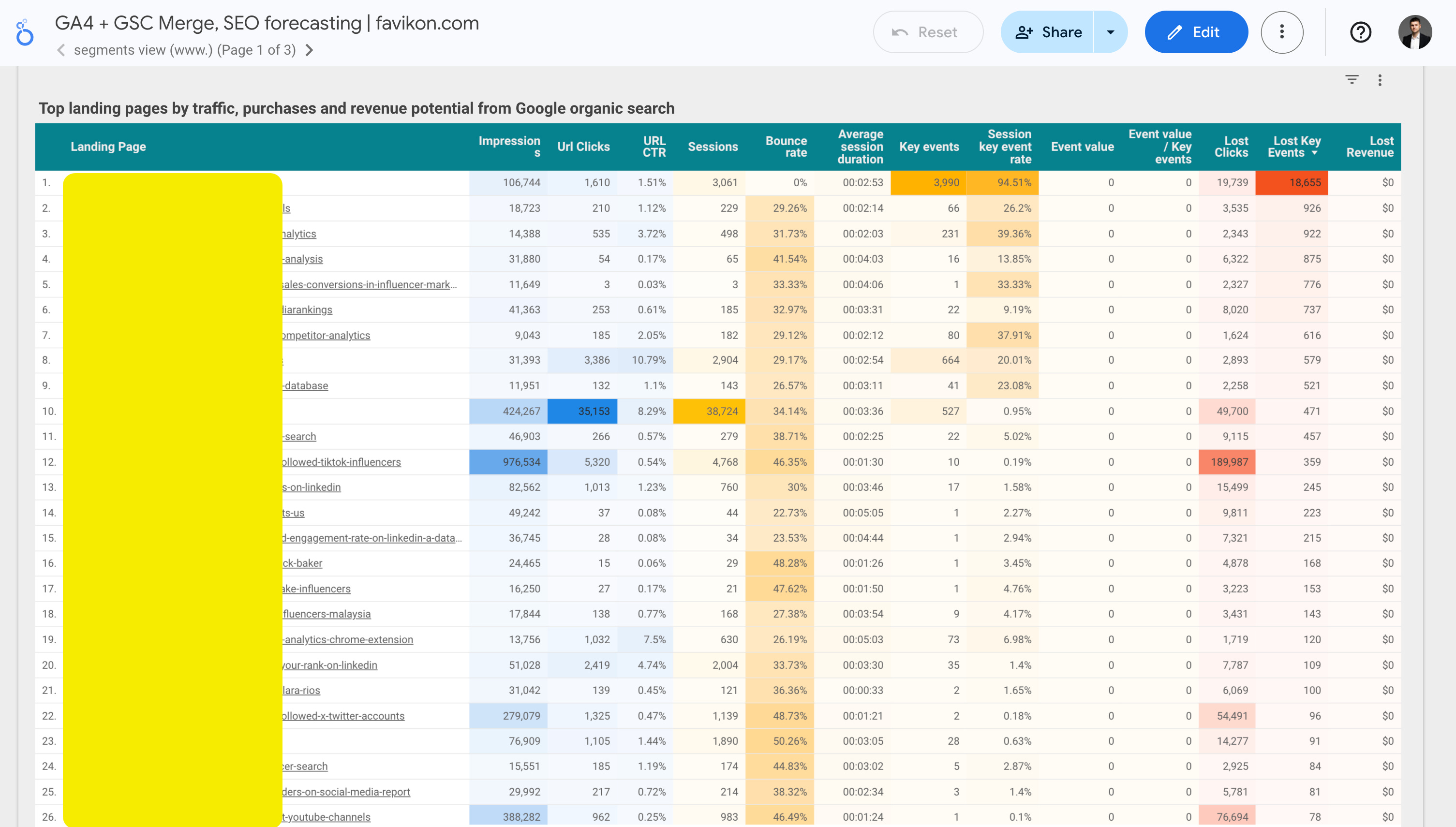
This is not 100% accurate approach, because:
I use the same CTR of the 1st position for all keywords and pages, which is not true.
It doesn’t count the difference in conversion and CTR between brand and non-brand search queries.
It doesn’t count that some pages rank by multiple related search queries, but they will never rank №1 by many of them.
After the AI overview launch, this accuracy becomes even worse, because the 1st position CTR dropped almost 30% for such queries.
But anyway, this is valuable enough, because it answers the main question: Which pages are worth your attention more than others?
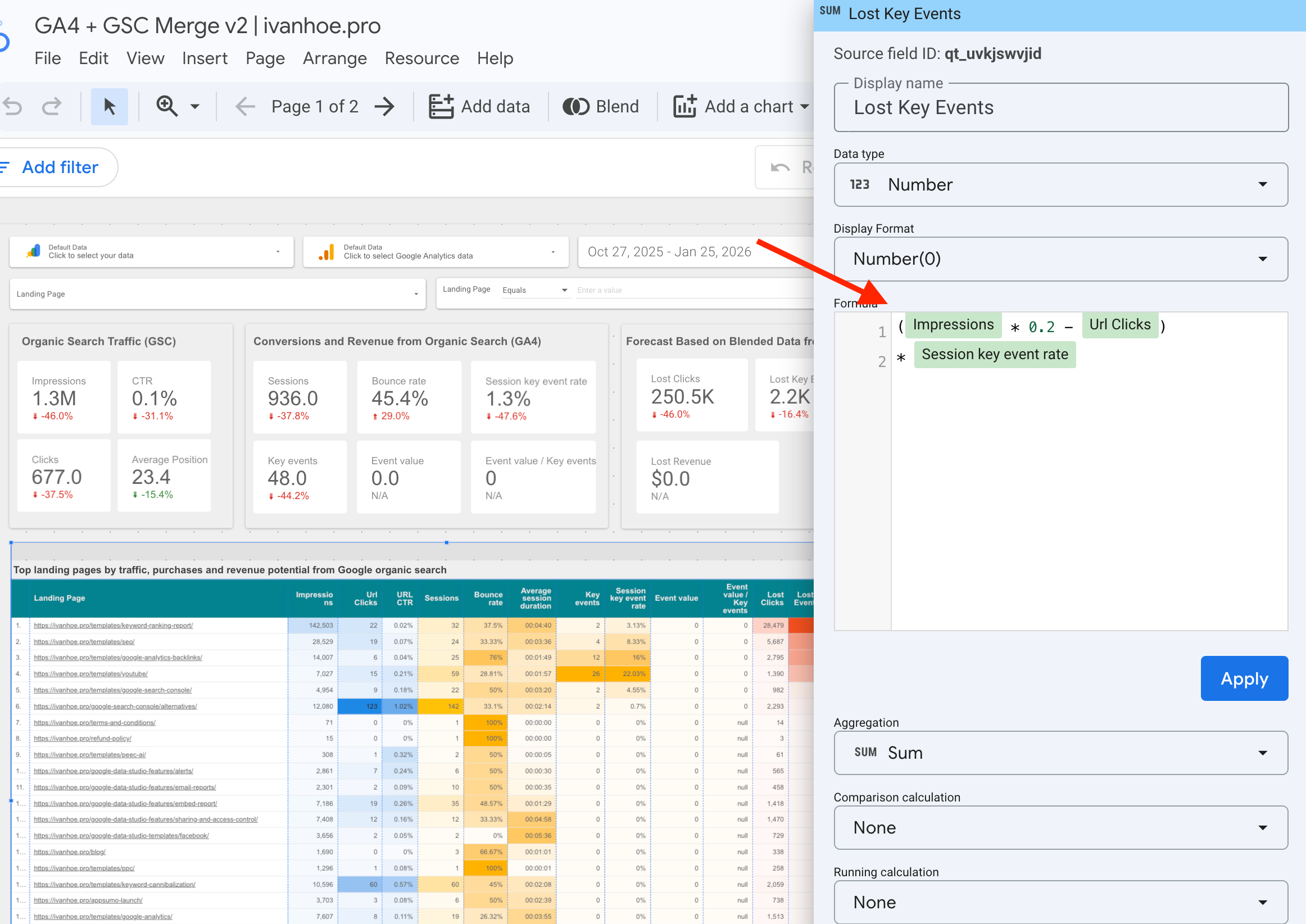
Working with this report, you’ll notice 3 facts:
1. Some pages generate a lot of traffic but no conversions at all.
Working to increase traffic on these pages rarely makes sense. It makes sense only if you know that such pages get organic backlinks and you can pass this link weight to money pages.
2. Some pages generate traffic and conversions, but they already win the 1st positions in theSERP, and there is no potential for traffic growth.
It generally makes sense to work only with conversion optimisation on such pages.
3. Some pages have only recently begun to generate their first traffic, and it is still unknown how much they actually convert into conversions.
Make sure that these pages have some proxy conversions, such as creating an account, going to the checkout, visiting book a demo page, etc. It will help you quickly identify their potential, because collecting enough data by purchases usually takes much longer.
Another important insight in this report is that we can calculate the approximate amount of potential conversions the specific keyword can generate if we assume that all keywords by which the landing page ranks have a similar conversion rate (which is close to the truth, because Google already done a job in identifying which user intent the page satisfies).
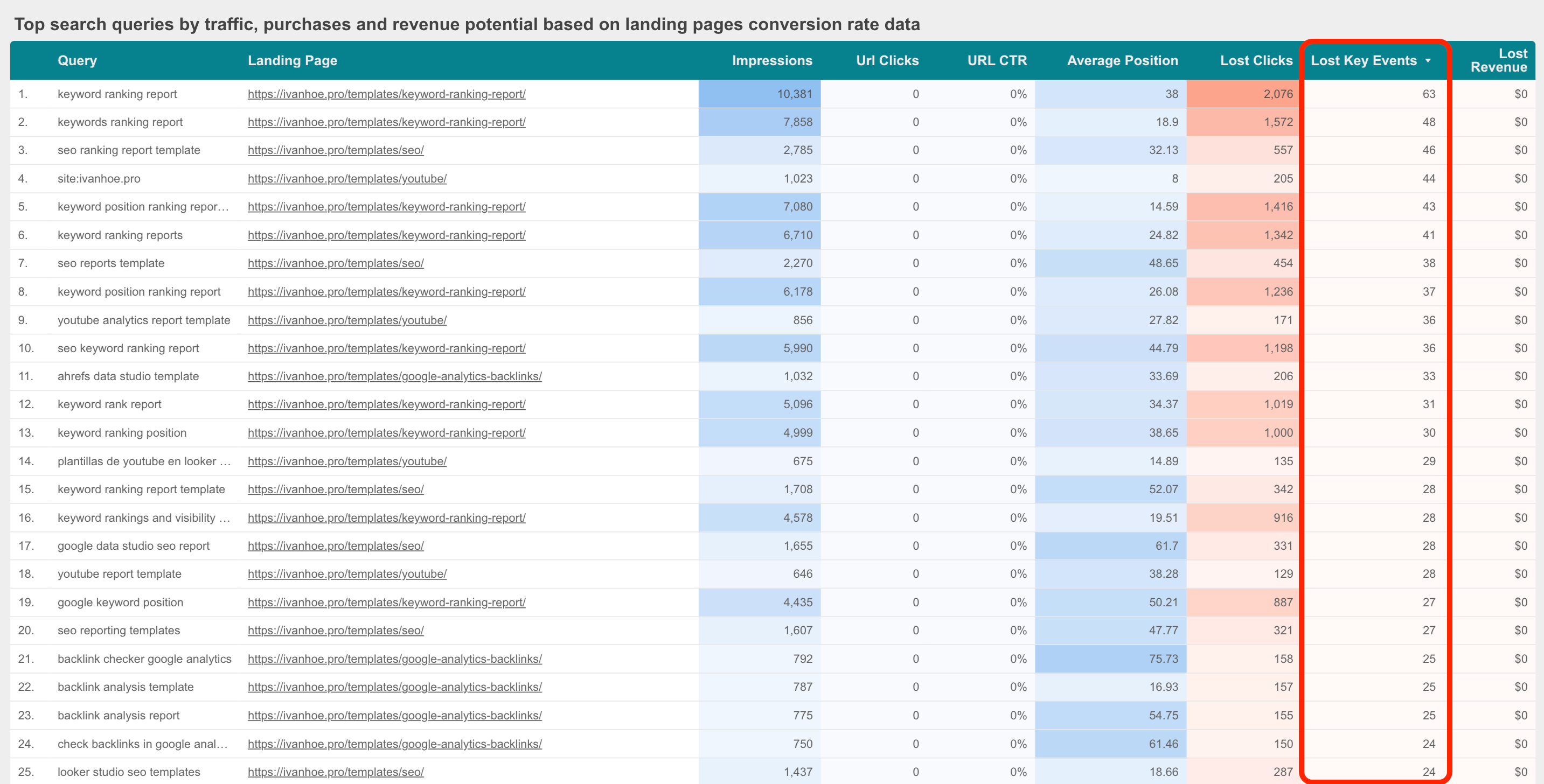
You can use this table with search queries and potential conversions for another reason too → understanding which queries are worth testing in Google Ads. It’s valuable if you’ve started with SEO, but haven’t run Google Ads campaigns yet.
If you’ve started with search paid ads and want to test SEO, I have another report that helps merge Google Ads and Search Console.
2/ Detect the impact of user behaviour changes on rankings
After many SEO experiments, I see that the Bounce Rate, Avg. Session Duration and overall amount of new Sessions to a landing page have a huge impact on the Average Position metric from GSC.
If we show such metrics on one chart for a landing page or page segment, you can easily detect the impact of a new design, user funnel or updated messaging on your rankings.
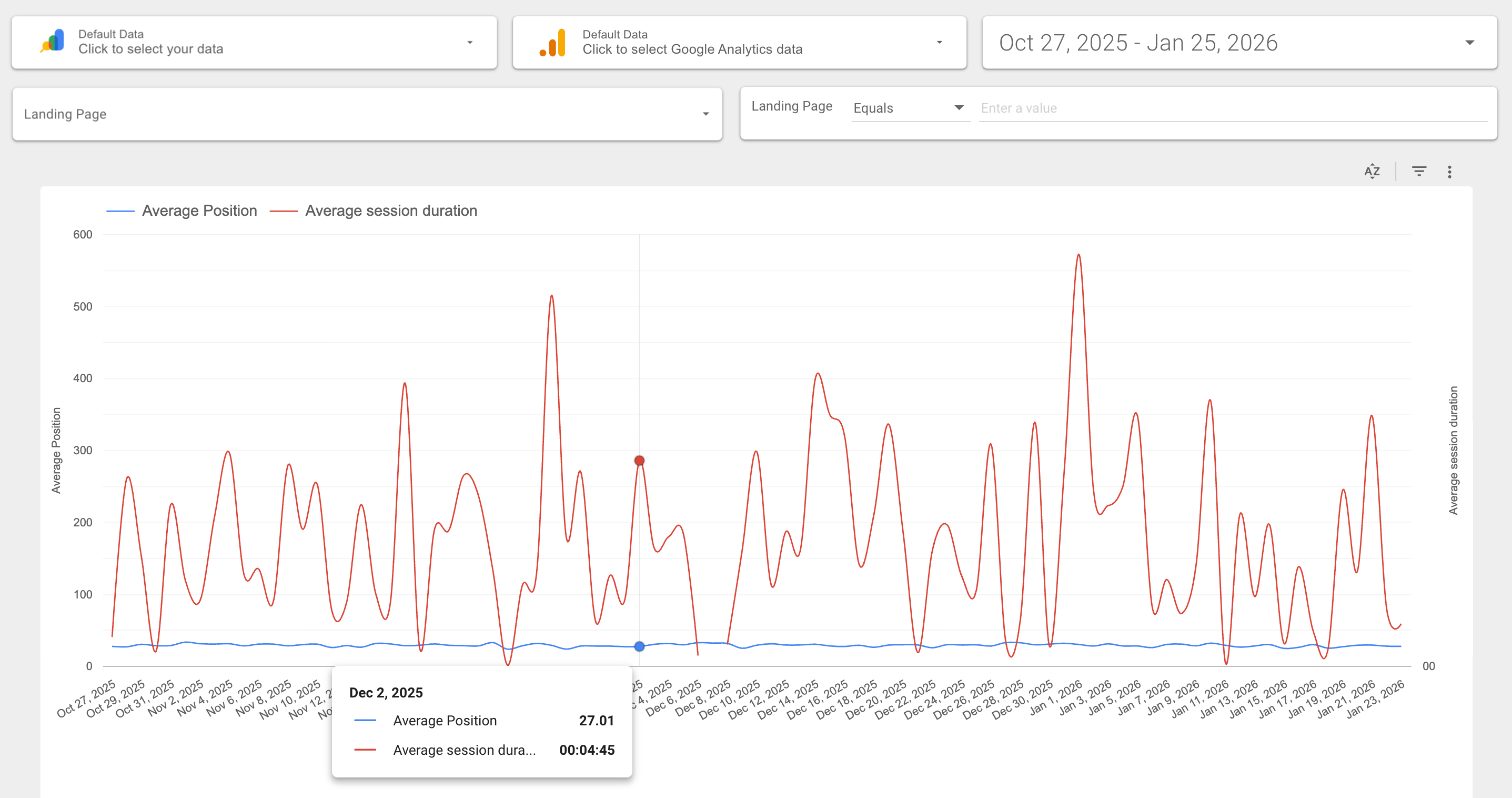
I’m building a separate template now that helps to display metrics from GA and GSC on a chart with a Date axis. It should be easy to work with data on a website, page segment and specific landing page level.
You can already get some insights using the on-page report at Sitechecker, because we already have GSC and GA4 metrics there, but they are in different tabs so far.
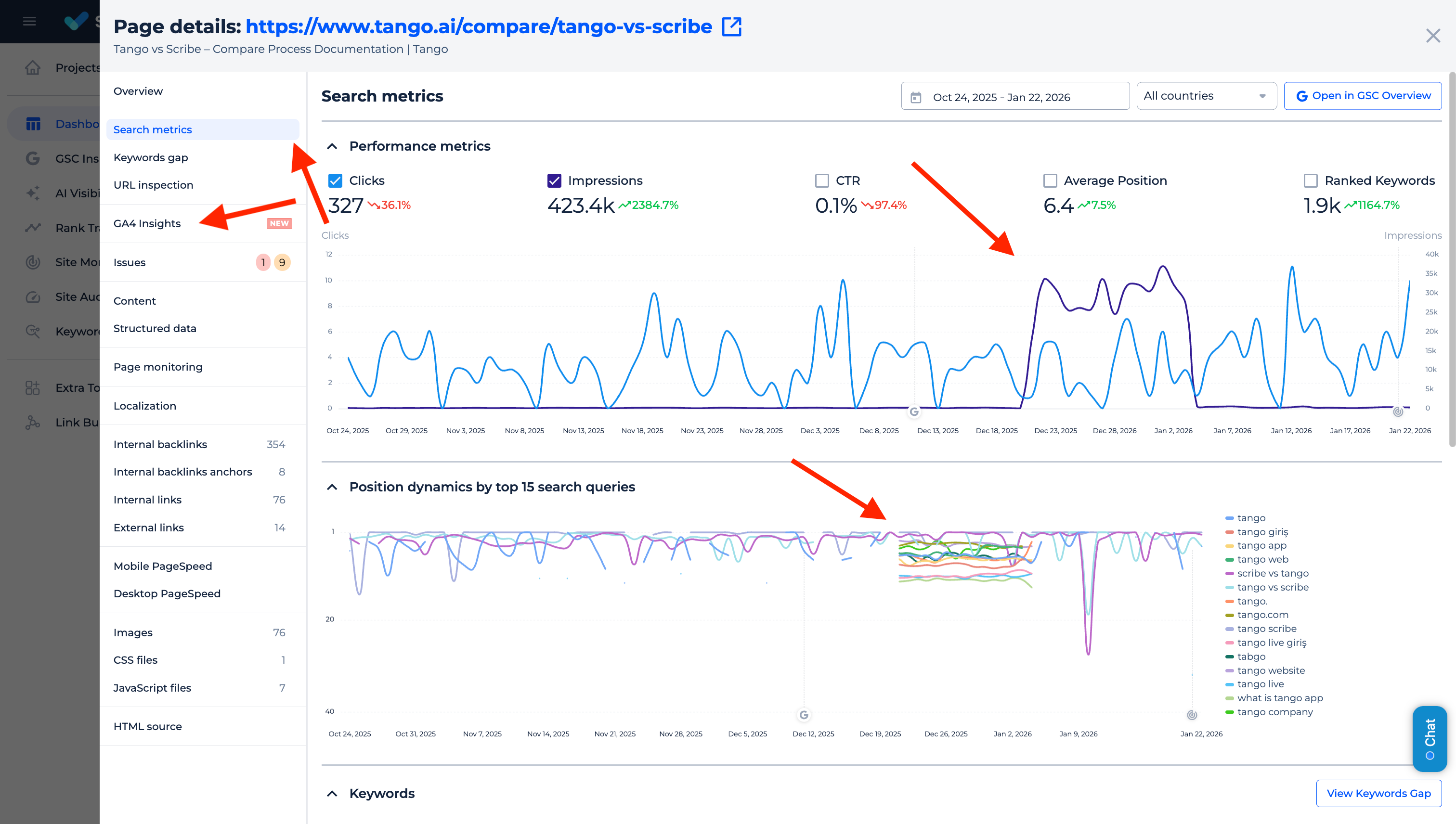
However, even with different tabs, it’s often easy to detect a time period when something happened with a page. In this case, checking GA4 metrics by landing page is a must-have task.
3/ Identify the real user paths by internal links
GA4 has a parameter Page referrer, and using it, you can build a map of how people navigate your website, link by link, and detect which (often unexpected) pages affect conversions.
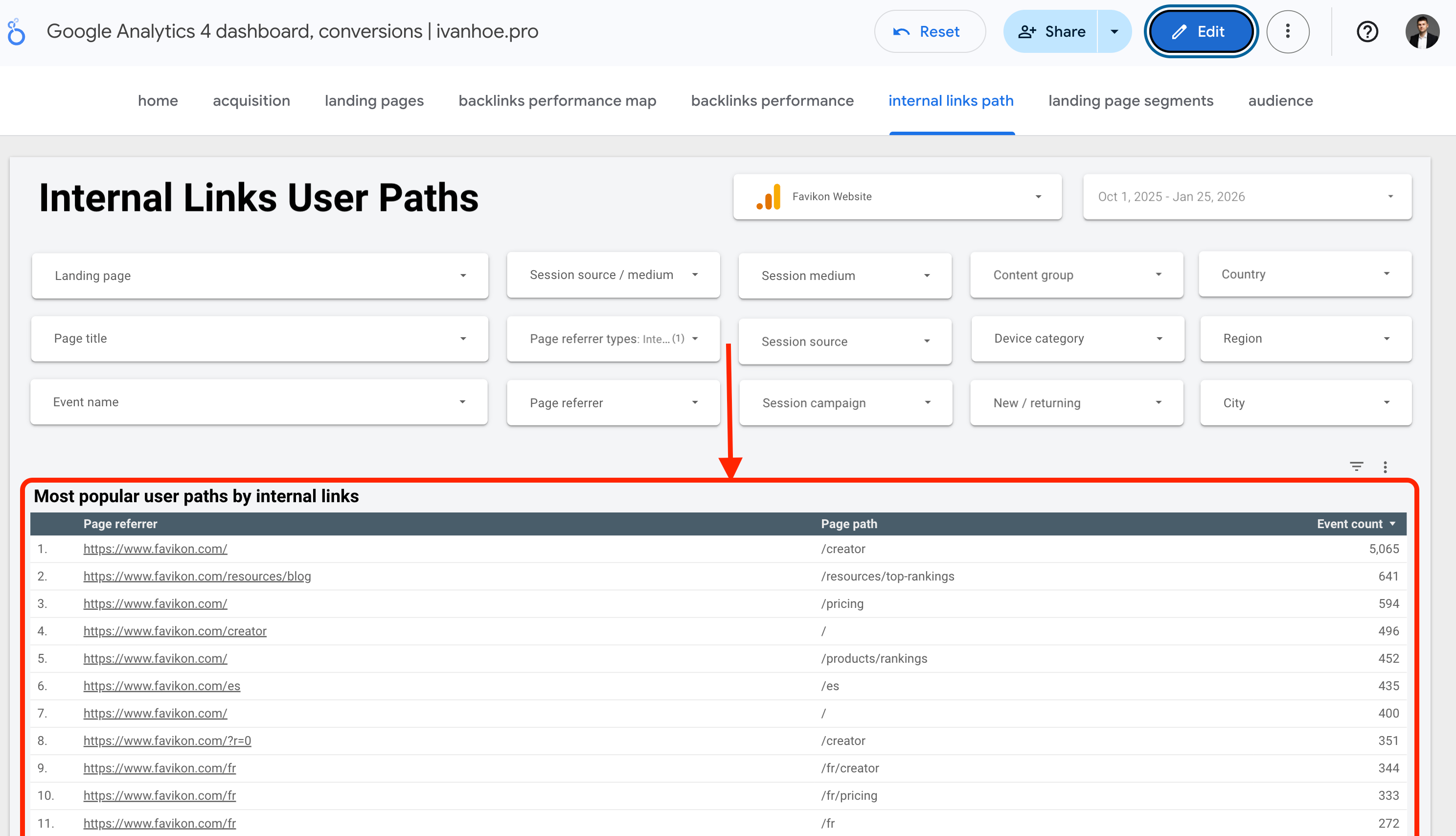
It’s not the full path, only 2 steps, but anyway, it can help to understand whether your internal link structure works at all and how to improve it.
This report doesn’t have GSC data, but the decisions you have to make based on that are all around SEO and search metrics.
Questions you have to ask yourself:
Is the most popular user path the one I want, or do I have to change something in design and internal links?
Are pages visited as a 2nd step well optimised (if users visit them by internal links, it’s a huge ranking signal and you have a big opportunity to rank them by important keywords)?
Internal links are the old fundamentals that are often underestimated, in a new world where more and more people want to sell AEO as a completely innovative, unique service.
Internal links are also interesting because this is one of the topics where most of the contradictions between marketers, product managers, and SEOs arise.
The conflict is inevitable when you have to define:
which internal links should the header and footer include;
which anchor text internal links in the header and footer should have;
which product landing pages should we link to from the blog.
When you have data, it will be easier to make a decision.
4/ Compare performance in organic search and AI chats
Gemini, as a huge part of Google’s R&D, doesn’t send as much traffic as ChatGPT (yet), but it can change this year fast (the fact that Apple chose Gemini is a huge signal). We see Gemini as a referrer in GA4, and can track it and compare it with metrics from GSC.
The most important thing I want to see here is how the success in search correlates with success in Gemini and vice versa.
If we want to compare only Sessions or Key events, we can do it using only GA4. But I believe we can get interesting insights by comparing Impressions from GSC and Sessions from Gemini.
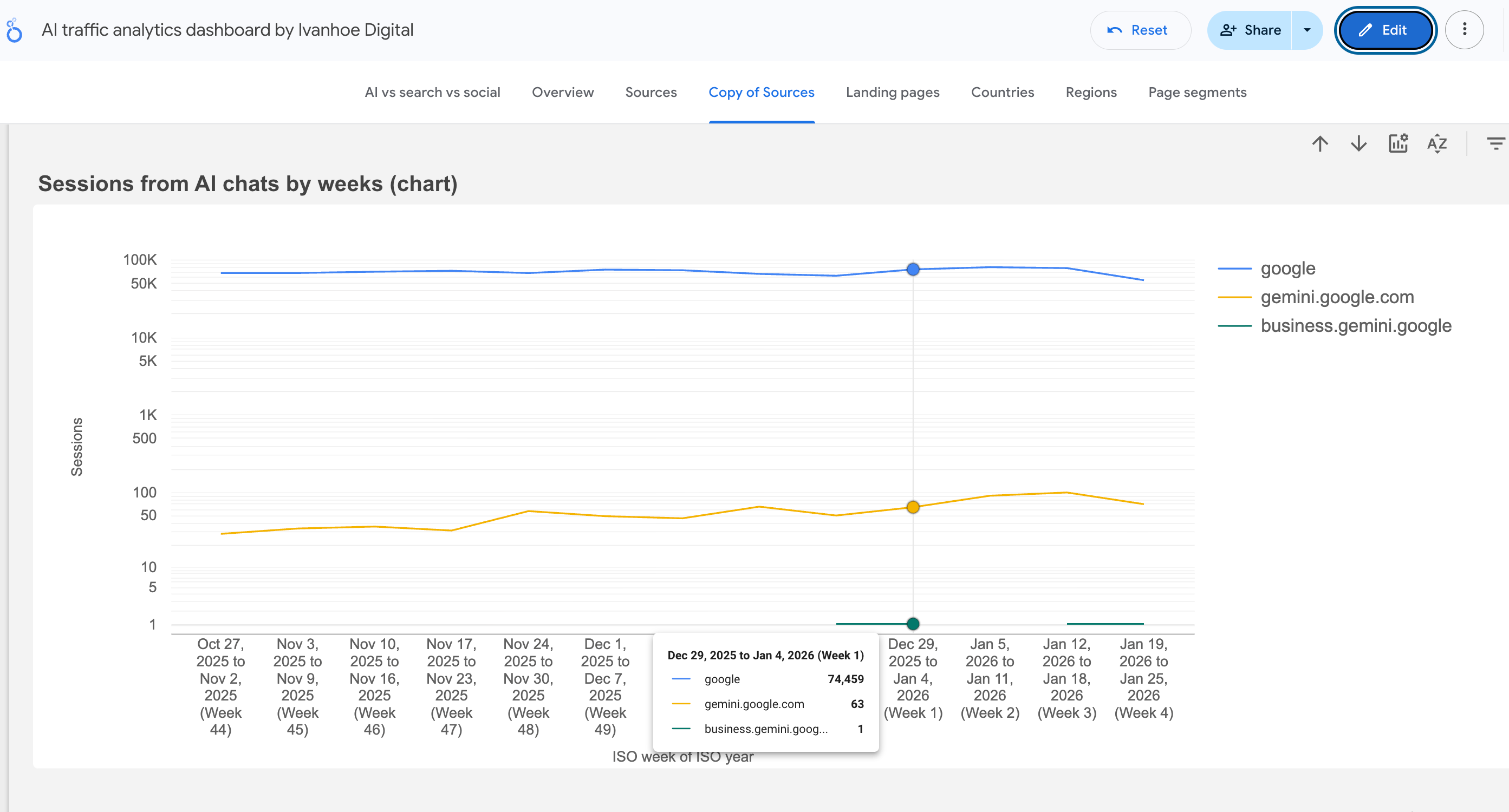
For example, questions I ask myself:
Does Google test a page in organic search before recommending it in Gemini?
If my Average Position in GSC improves, can I expect that I get more visibility in Gemini too?
I plan to build a template to answer these questions, but later, because Gemini still doesn’t send much traffic even to big websites (but it definitely should change in 2026).
5/ Detect the gaps
There are still many interesting questions, I would like to get answers fast:
Which pages that receive traffic from other channels, aren’t visible in organic search at all (sometimes brands send traffic from Google Ads to good but noindexed pages)?
Which noindexed pages still receive traffic from organic search and AI chats?
What Bounce Rate and Avg. Session Duration metrics have had pages, which Google removed from the index recently?
Which pages have backlinks that send real traffic to them?
I also ran a user poll on my LinkedIn about which of the goals is the most important for people when they merge GSC and GA4, and the results are interesting.
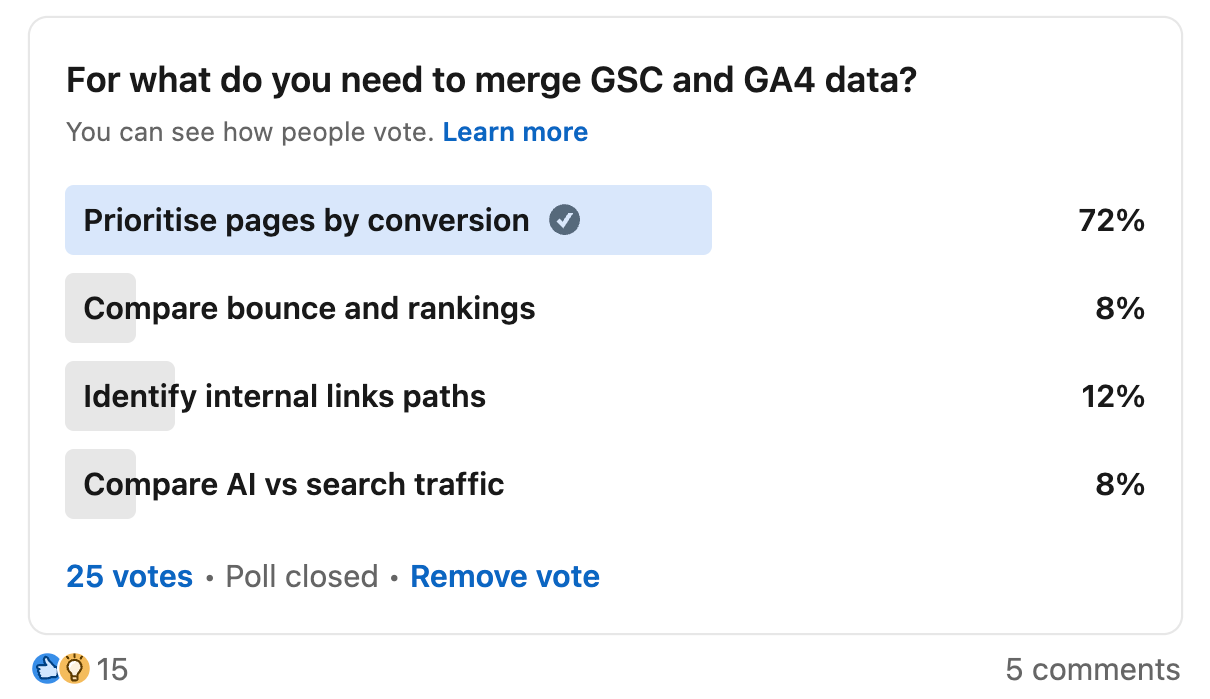
For me, page prioritisation is the most important too. What about you?
Read also:
The Looker template looks great, but if you're charging $150+, I don't know that I'll buy it until/unless the approach caveats are fixed. Like, the last update being in 2024, and charging full price for it in 2026 post-AI monitoring and AIO updates, is kind of incredible. I like the product, but I don't know that I can justify the cost to my CEO given its carve outs.